
How to Set Up a Cozy Home Office That Makes You Actually Want to Work (Budget-Friendly Guide)
Cozy Home Office Setup Budget Friendly Tips. If your home office makes you dread sitting down to work, it is not your problem; it is an environmental problem. Research in environmental psychology consistently shows that where we work profoundly shapes how we work: the colour of the walls, the quality of the light, the presence of plants, the level of visual clutter, and the comfort of the physical setup all measurably affect focus, mood, and output. The good news is that a truly cozy, functional home office does not require a renovation or a large budget. It requires good decisions.
According to a 2026 WFH report from Owl Labs, 38 million Americans and 4+ million Canadians regularly work from home. The majority describe their home workspace as “functional but uninspiring.”
Start With the Right Foundation: Desk Position and Natural Light
Before you buy anything or rearrange furniture, position your desk correctly. The single biggest determinant of how your home office feels is the relationship between your desk and natural light. The best position for most people is facing a window or sitting with the window to one side, never with a window directly behind you (glare on your screen) or directly in front of you at eye level (glare in your eyes). Natural light from the side gives you the best combination of brightness, mood-enhancing light exposure, and shadow-free desk illumination.
If natural light is limited in your space, position your desk as close to a window as possible and supplement with warm artificial lighting, never with a single overhead light, which creates flat, clinical illumination. The goal is to make your workspace feel like a place someone chose to sit in, not like the only spot a desk would fit.
The 10 Elements of a Genuinely Cozy Home Office
1. Warm Desk Lamp — Not Overhead Lighting
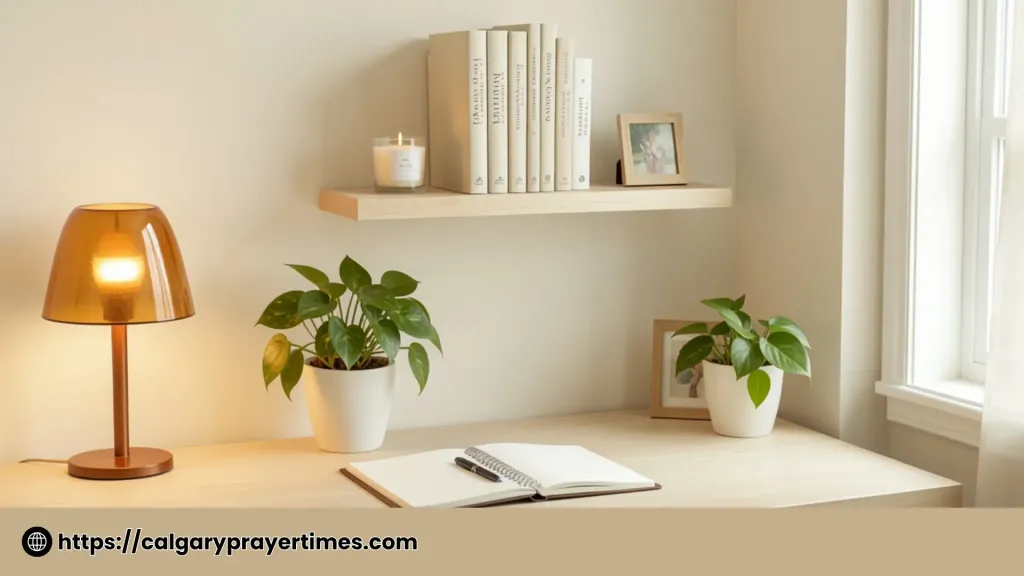
The fastest single change you can make to any home office is turning off the overhead light and switching to a warm desk lamp. Warm white light (2700K–3000K colour temperature) reduces eye strain during long work sessions, creates a cosier, more intimate workspace atmosphere, and makes photos of your desk significantly more beautiful and Pinterest-worthy. A warm desk lamp positioned to illuminate your desk from the left (if you are right-handed) or the right eliminates shadows on your work without creating any glare.
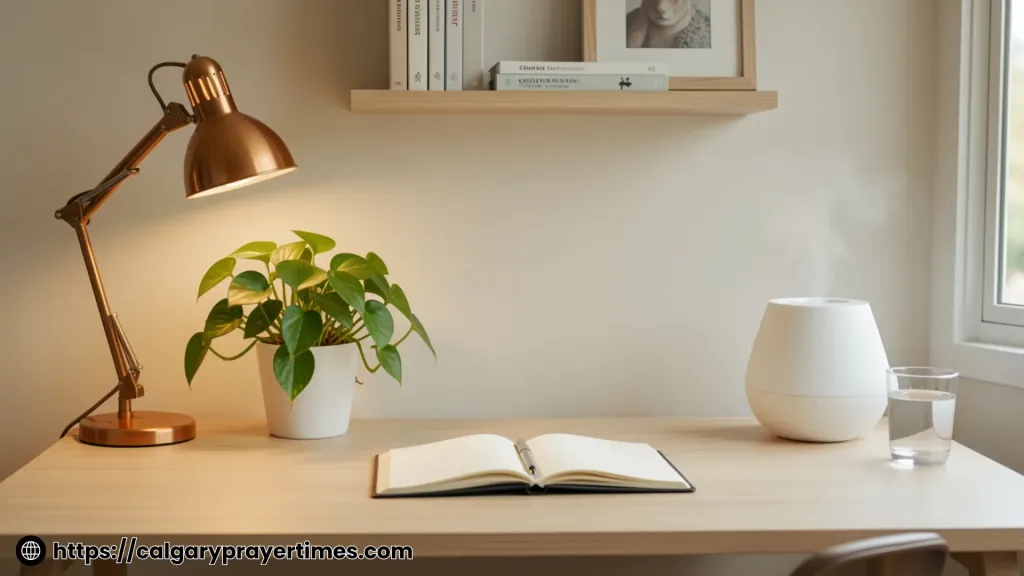
Look for a lamp with an adjustable arm so you can direct light exactly where you need it, a colour temperature option between 2700K and 4000K for flexibility between cozy and focused modes, and a USB port in the base for charging your phone without adding another cable to your desk. The lamp that changed how my desk looks and feels: → adjustable arm desk lamp with warm white settings and USB charging port ← under $35, works for both cozy evenings and focused daytime work sessions.
2. One Living Plant — The Desk’s Best Friend
A single small plant on or near your desk does something that no décor item can replicate: it makes the space feel alive. Research from the University of Exeter found that workers in offices with plants are 15% more productive and report significantly higher well-being scores than those in plantless environments. The type of plant matters less than its health. A thriving small plant communicates care, life, and intention. The best low-maintenance desk plants for North American WFH environments: pothos (thrives in low indirect light), snake plant (extremely hardy, purifies air), small succulents (minimal watering), and peace lilies (tolerates low light, flowers occasionally).
3. Clear the Desk — Keep Only What You Use Every Day
The single biggest visual difference between a cozy, inspiring home office and a stressful one is almost always the desk surface. A cluttered desk is not just visually unpleasant; it actively impairs cognitive function. Princeton neuroscientists found that visual clutter competes for the same neural resources as the task you are trying to focus on, reducing both focus and satisfaction. The cozy home office rule for desk surfaces: keep only what you use every single working day. Everything else, reference books you rarely open, backup chargers, random stationery, goes in a drawer or a shelf. What remains should be both functional and beautiful.
4. A Comfortable Chair That Supports You
You cannot feel cozy in a chair that hurts you. This seems obvious, but it is the element most North American home office workers get wrong. They use a dining chair, a kitchen stool, or whatever was affordable and close to hand. After two to three hours, a chair that is the wrong height, has no lumbar support, or is simply not designed for extended sitting, becomes a source of physical discomfort that ruins the experience of the whole workspace.
You do not need an expensive ergonomic chair to have a comfortable workspace. You need a chair that is at the correct height for your desk (so your arms rest comfortably and your feet are flat on the floor), provides some support for your lower back (a small cushion or folded blanket can substitute), and is comfortable enough to sit in for a two-hour focus block without shifting and fidgeting. Thrift stores and Facebook Marketplace consistently have excellent quality office chairs for $20–$60 in most North American cities.
5. Cable Management — Tame Every Visible Wire
Nothing destroys the cozy aesthetic of a home office faster than a tangle of cables on the desk, trailing across the floor, or hanging off the back of a monitor. Cable clutter is also one of the most consistent complaints among WFH North Americans who describe their workspace as stressful. The solution costs almost nothing: cable management clips along the desk edge route each cable neatly in its own path. A cable box on the floor hides power strips and excess cable length. Velcro cable ties bundle cables together behind the desk. None of these requires any tools or installation expertise, and the result, a clean, cable-free desk surface, is dramatic. A set of magnetic self-adhesive cable management clips for desk edges is the cheapest and fastest way to eliminate the cable chaos that makes most home offices look and feel stressful, for under $10 for a set of 10.
6. A Shelf or Small Bookcase — Give the Room Vertical Interest
A home office that exists only at desk level without any vertical visual interest feels cramped and incomplete, regardless of how well-organised the desk is. Adding a wall-mounted shelf above the desk (or a small bookcase beside it) creates visual depth, gives reference books and personal items a proper home, and adds the “curated workspace” quality that most North American office aesthetic content relies on. Style it using the odd-number rule: groups of three objects at different heights, a few books, one small plant, one decorative object.
7. A Scent — Your Workspace’s Invisible Design Element
A consistent scent in your workspace creates a powerful psychological anchor. Over time, the brain associates the scent with focused work, making it easier to enter a productive mindset simply by smelling it. Research supports this: rosemary is shown to improve memory and alertness, peppermint increases focus and cognitive performance, and citrus scents (lemon, orange) reduce stress and improve accuracy on detail-oriented tasks. An essential oil diffuser running a focus blend (rosemary and lemon is a classic) or a diffuser with peppermint during your deepest focus blocks takes your home office from a space that happens to smell like your house to one that signals “this is where I do my best work.” A small whisper-quiet ultrasonic essential oil diffuser with a focus blend of rosemary and lemon essential oil is one of the most underrated home office upgrades. The combination of visual beauty and genuine cognitive support makes it worth every dollar.
8. A Physical Planner or Notebook — Keep One Paper System
In an almost entirely digital work environment, a physical notebook or planner on your desk creates a valuable analogue anchor. Writing tasks, ideas, and priorities by hand produces better memory retention than typing (research from Princeton and UCLA confirms this repeatedly), keeps your to-do list visible without requiring you to open an app or browser, and gives you a satisfying physical record of each day’s work. North American productivity researchers increasingly recommend a hybrid system, digital for long-term storage, physical for daily management, as the most effective approach for WFH workers who struggle with digital distraction.
9. Warm-Tone Wall Colour or Art — Personalise the Space
A completely blank, white-walled home office is the quickest way to make a workspace feel temporary and uninspiring. Even one piece of art, a wall calendar with photography you love, a framed quote, or a small gallery wall of prints, transforms the psychological experience of the space from “this is where I have to work” to “this is mine.” The art does not need to be expensive, printed photographs, downloaded printables in simple frames, or even a Polaroid wall of meaningful images; all produce the same personalisation effect. For a North American home office, a combination of a print with a meaningful image (nature, a map, an artist you love) and a few small framed words or quotes is the most commonly successful visual combination.
10. Protect Your Work Hours — Your Office Needs Boundaries Too
The most overlooked element of a cozy home office is not physical; it is temporal. An office that you sit in at all hours, that bleeds into family time, that you return to after dinner “just to check one thing,” stops feeling cozy very quickly. It starts to feel like an obligation that never ends. Defining clear work hours — and communicating them to the people who share your home transforms the home office from a space of continuous low-level work anxiety into a space you enter intentionally and leave with completion. This boundary is what makes the cozy setup matter: an uncomfortable office you leave at 5 PM is better for your well-being than a beautifully styled office you never fully leave.
💰 Budget Breakdown: How Much Does This Actually Cost?
- Desk lamp with warm white and USB port: ~$25–$35
- Small plant in a simple pot: ~$5–$12
- Cable management clips: ~$8–$12
- Essential oil diffuser (compact): ~$18–$28
- Wall shelf or small bookcase: ~$0 (thrift) to $35 (new)
- Physical notebook or planner: ~$10–$18
- Total for the full setup (above existing furniture): $66–$140 USD
The elements with the biggest visual impact (lamp, plant, cable management) total under $60, which means you can dramatically transform an existing home office for the cost of two restaurant meals. The full guide, including shelf and diffuser, keeps the total well under $150, which is less than most ergonomic desk accessories and produces a more enjoyable workspace outcome.
❓ Frequently Asked Questions
💻 Your Home Office Can Be the Best Room in Your Home
Save this post to your home office or WFH boards and share it with anyone who dreads their workspace. If you purchase through any link in this post, a small commission supports this blog at no extra cost to you. Thank you! 💙